Generate
App Store
screenshots
in minutes.
The native macOS studio for indie developers. Drop in your raw screenshots, frame them in real 3D devices, let AI write the captions and review your listing — then export every App Store, Google Play and Microsoft Store size in one click.
Free to try · No credit card · macOS 14+
Starting with Apple's foldable.
A full screenshot set in under a minute.
Watch the full workflow — from empty canvas to exported assets.
Everything you need to ship a screenshot set.
Designed for indie developers who'd rather ship than fight a design tool — on iOS, Android, Mac and Windows.
True 3D models of iPhone, iPad, Watch, Mac, Apple TV, Vision Pro, Android, Wear OS, Windows laptops and foldables. Drag to turn them any way.
Metal, clay, glossy or matte finishes in any colour, with studio environments, lighting presets and adjustable reflections.
Professionally designed sets for every app category — all rendered with 3D devices. Save your own designs as templates too.
Describe your app and get a caption for every screen plus background options. Use ours, or bring your own OpenAI, Anthropic or Gemini key.
Search or paste an App Store link to pull your live screenshots and listing, then remix them into a fresh set in minutes.
Score your set out of 100 with per-shot fixes, and get your listing graded with missing keywords and ready-to-paste rewrites.
Shift-click canvases to restyle them together — background, device, colour and pose — while each keeps its own screenshot and caption.
Every App Store, Google Play and Microsoft Store size from one design. No resizing, no math.
Translate captions into every supported App Store locale and export the localized variants together.
iPhone Duo, in real 3D.
Not a flat frame.
Shut, half open or flat open — the iPhone Duo is a true 3D model with a working hinge, a cover screen and cameras. Turn it, fold it, light it, and export it at full resolution for the App Store.
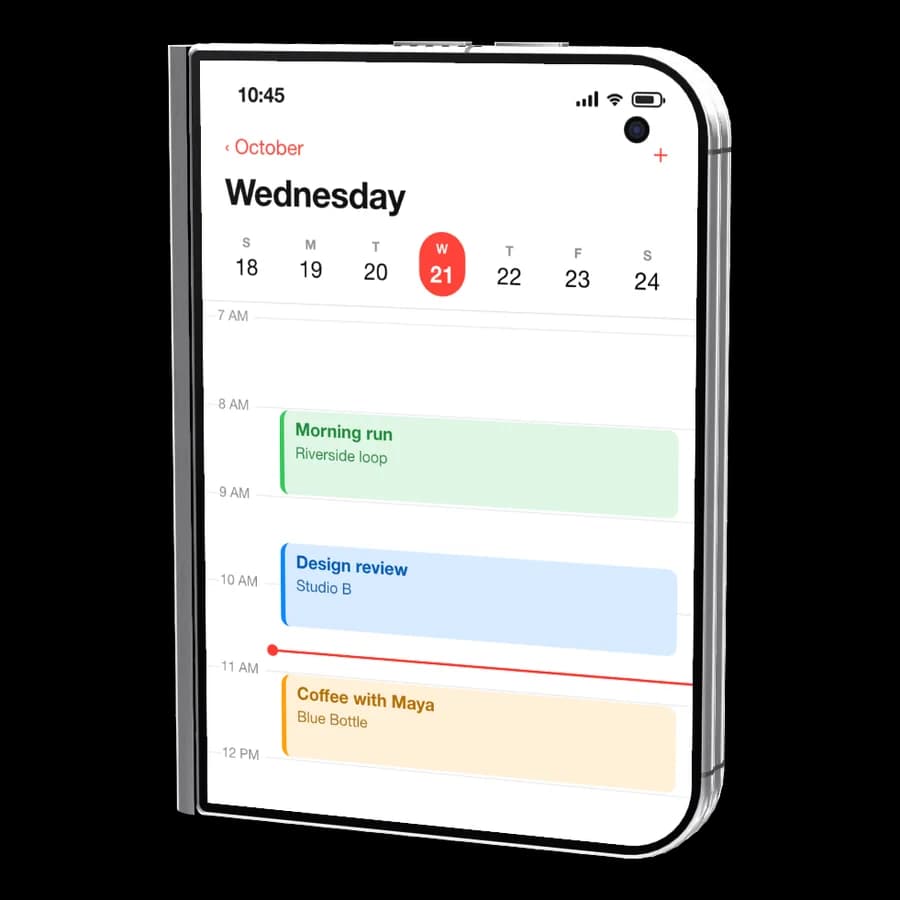
The cover screen takes its own screenshot.
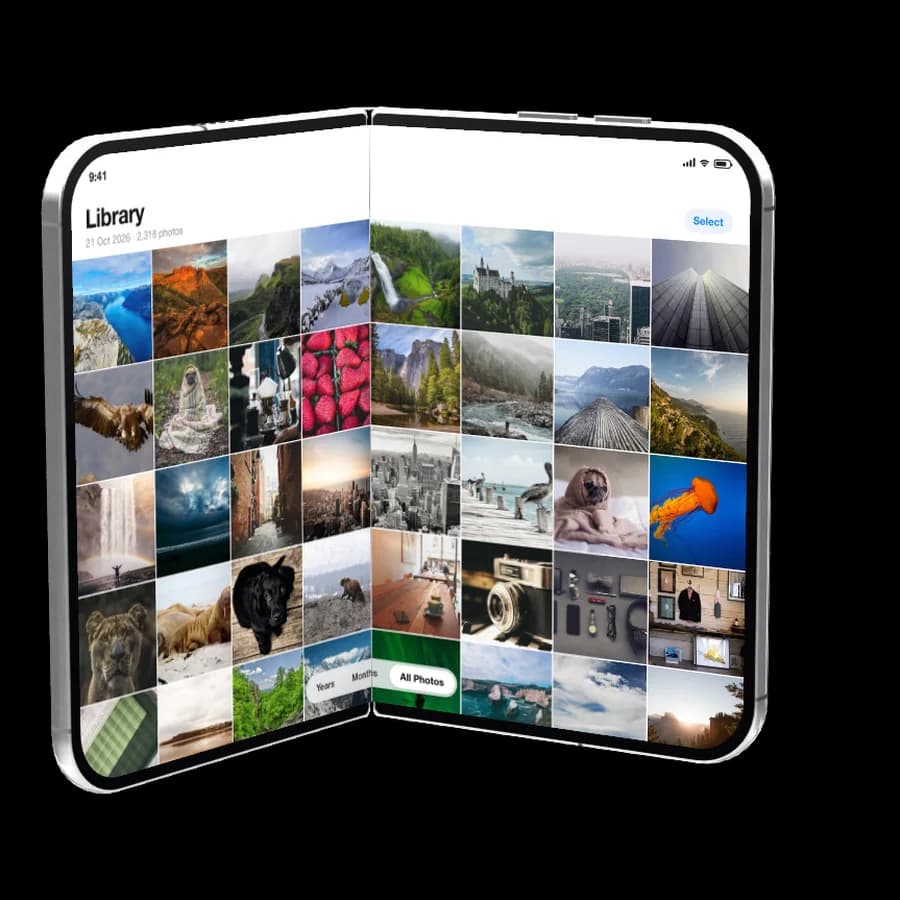
Set the fold to any angle.
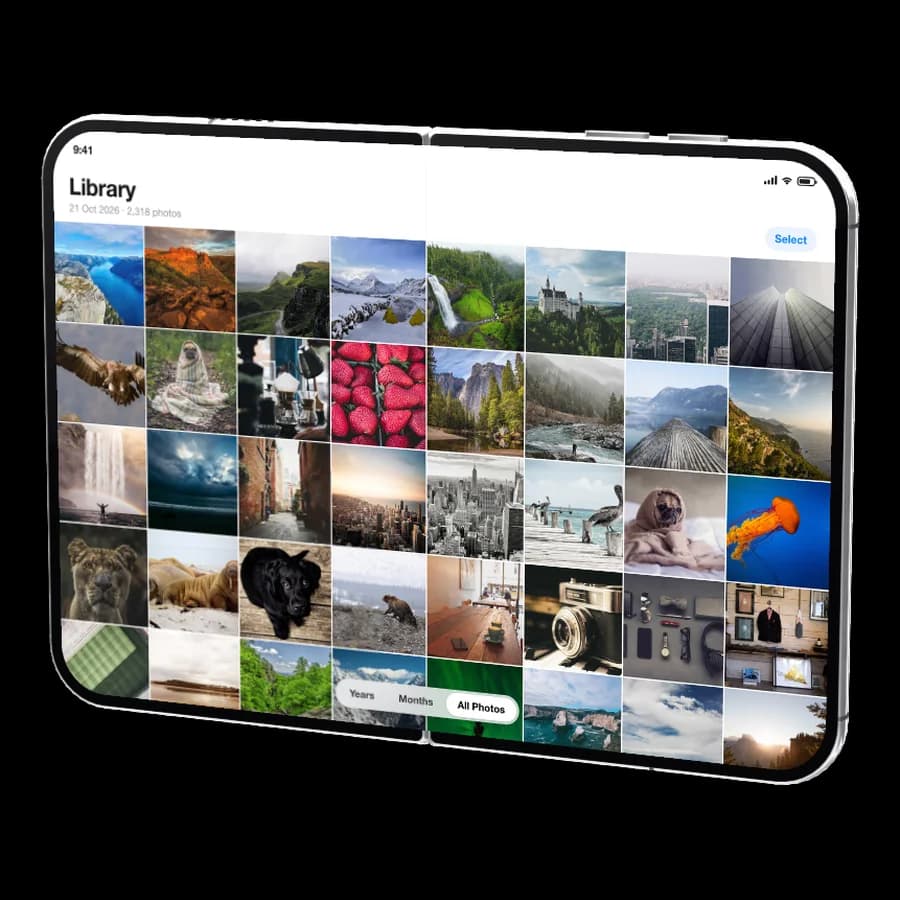
One shot across the whole inner screen.
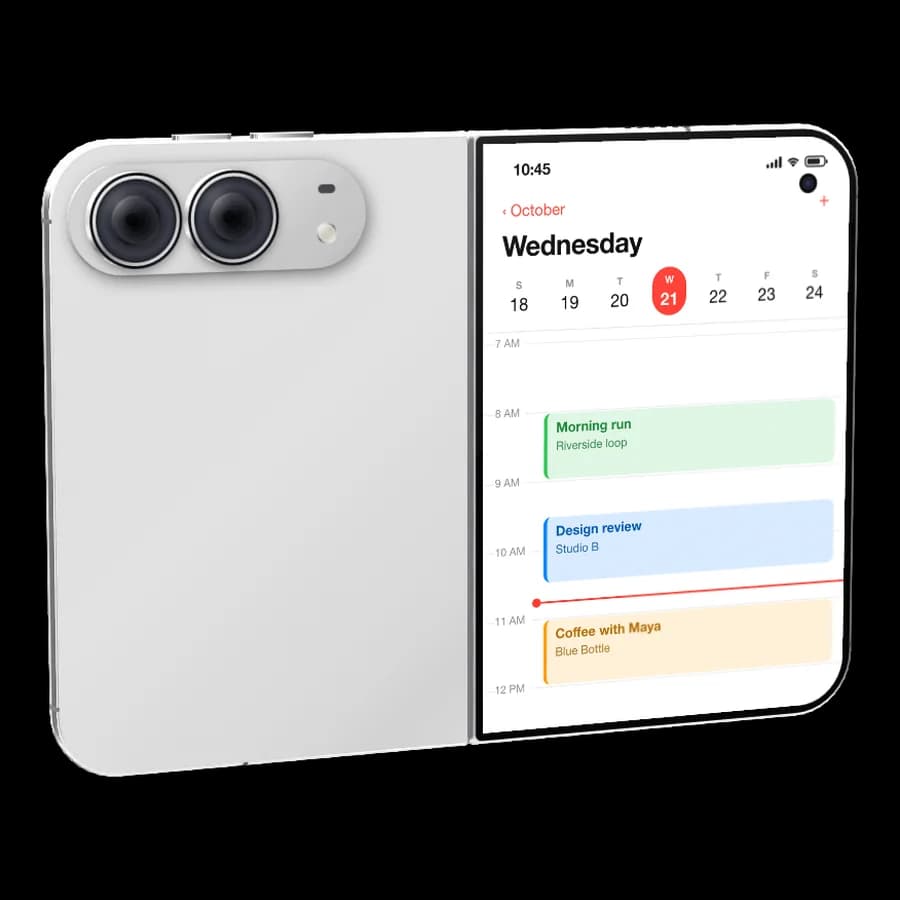
Cameras, cover screen and frame colour.
One studio, every device.
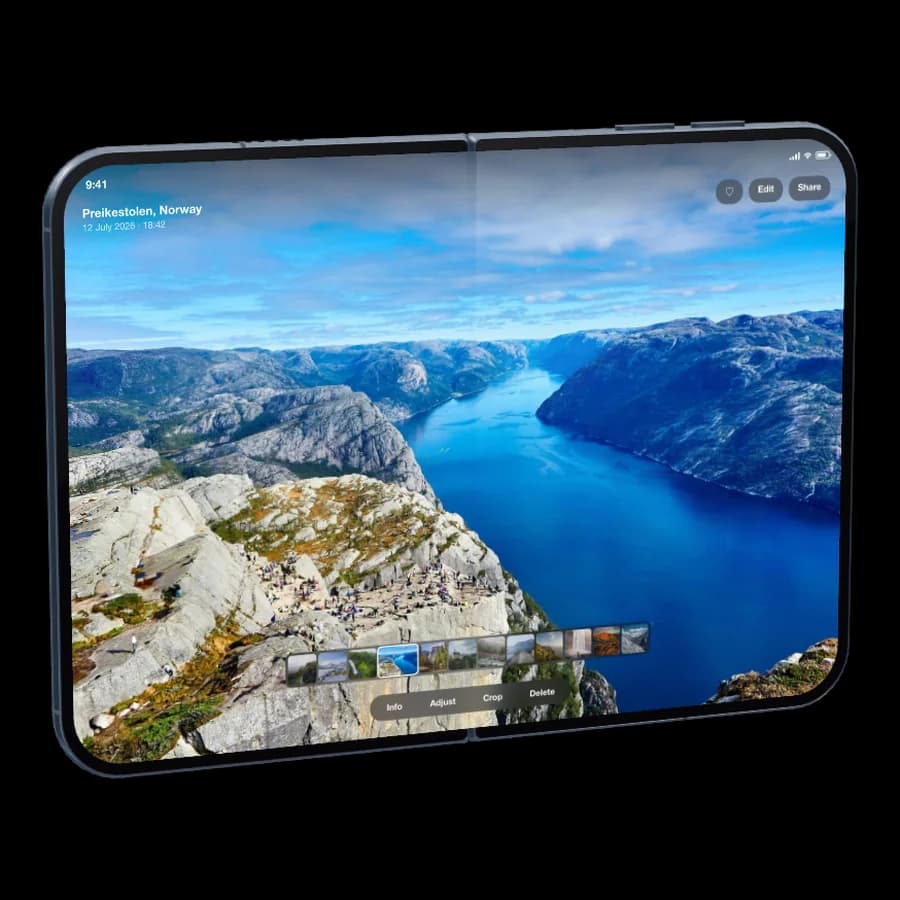
Apple's foldable, in 3D — cover and inner screens, each with its own shot, folded to any angle.
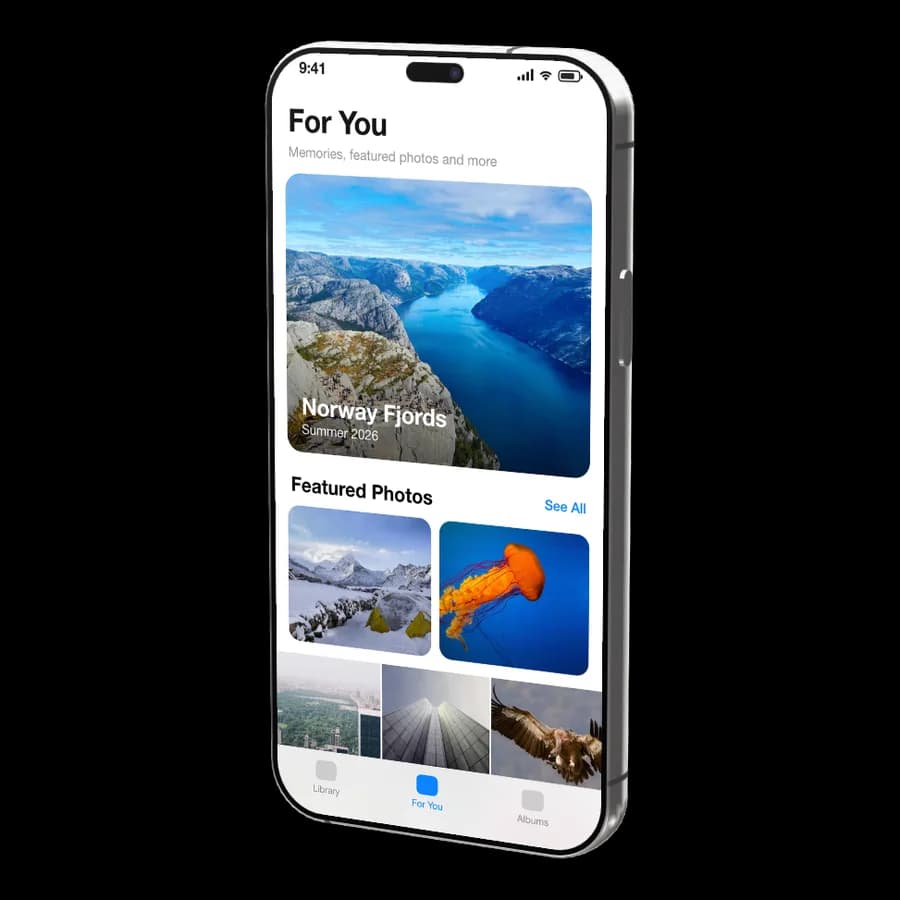
Dynamic Island, camera bump, titanium rails.
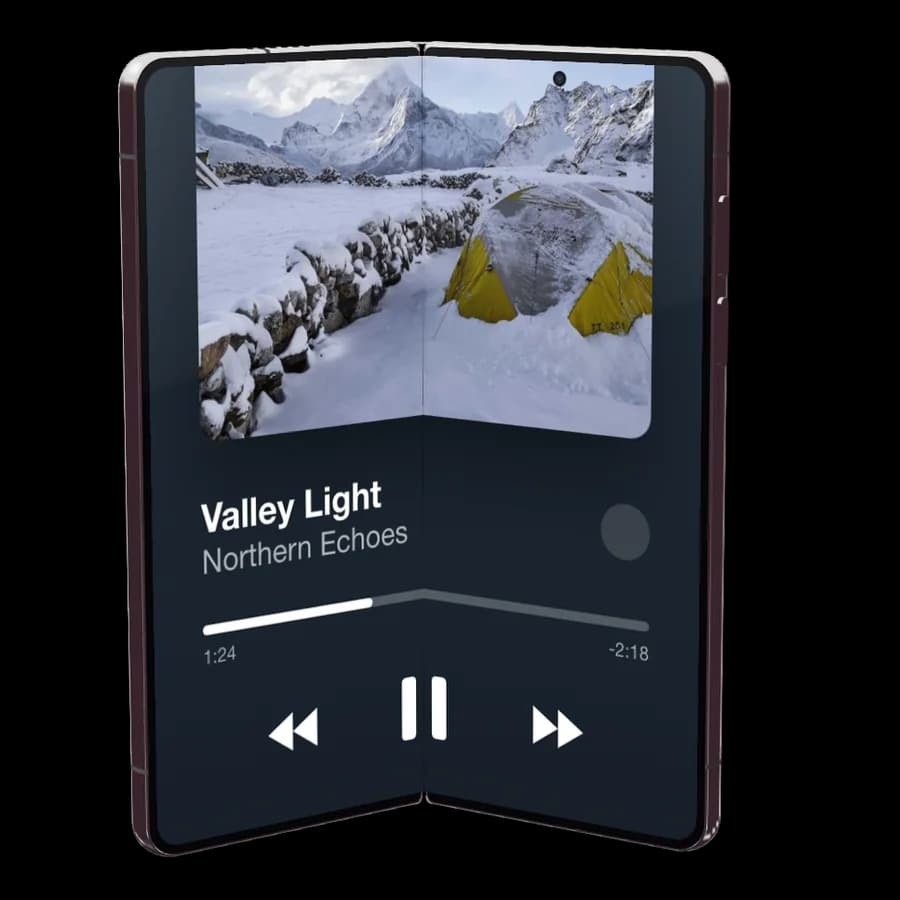
Folded, half open or fully open — your shot spans the crease.
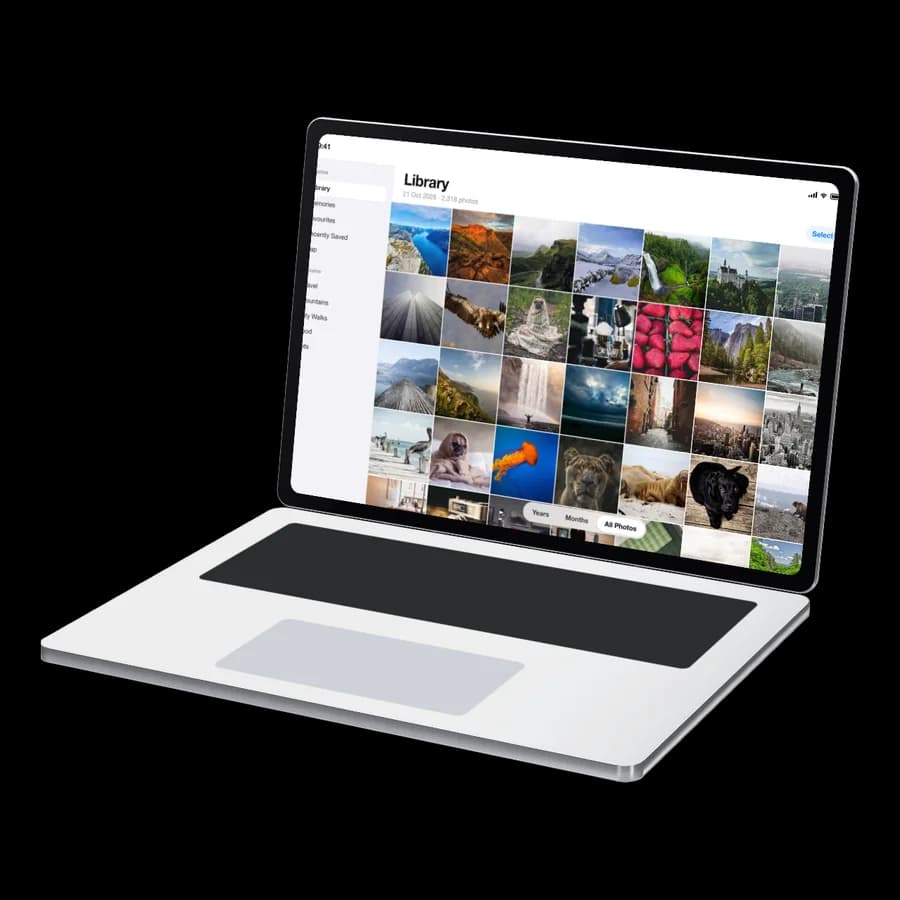
Hinged lid and keyboard deck for Mac App Store sets.
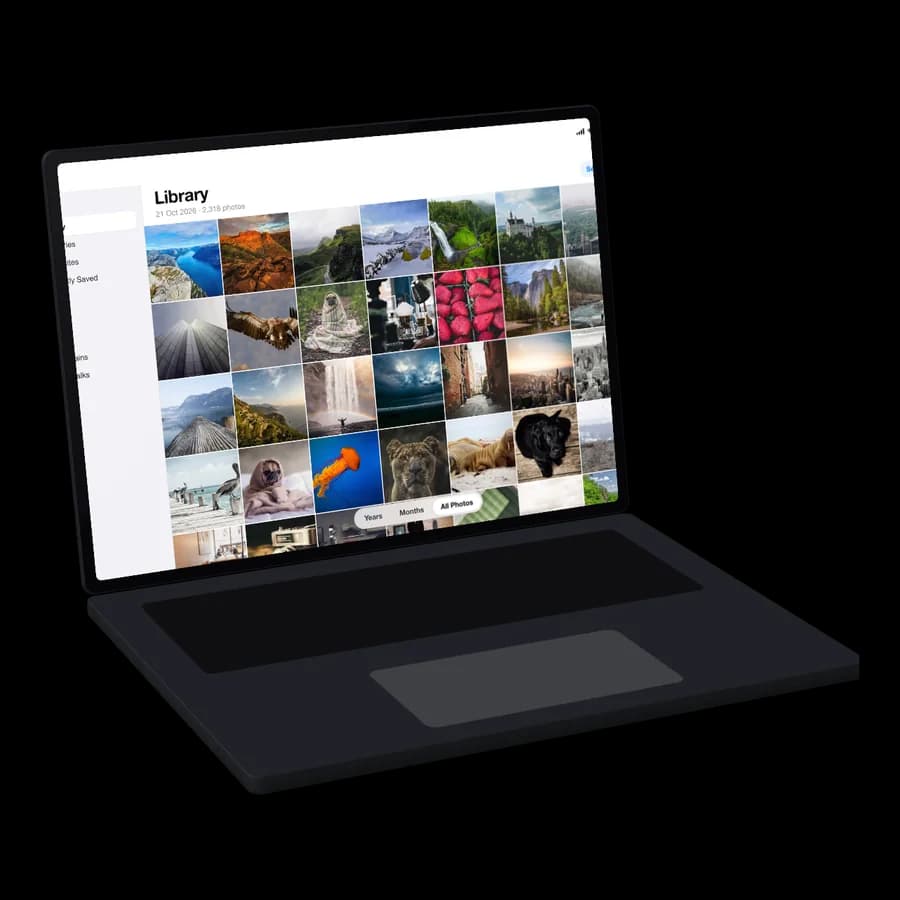
Surface Laptop, Dell XPS and Surface Pro, sized for the Microsoft Store.
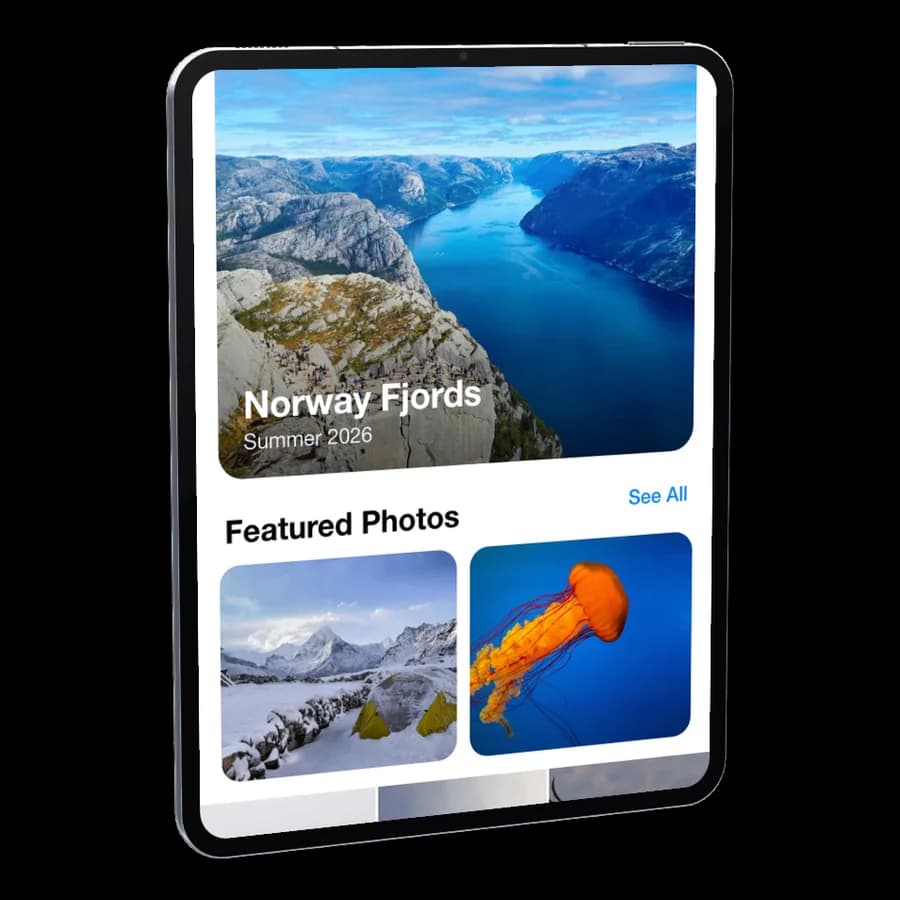
Thin bezels and camera — Android tablets too.
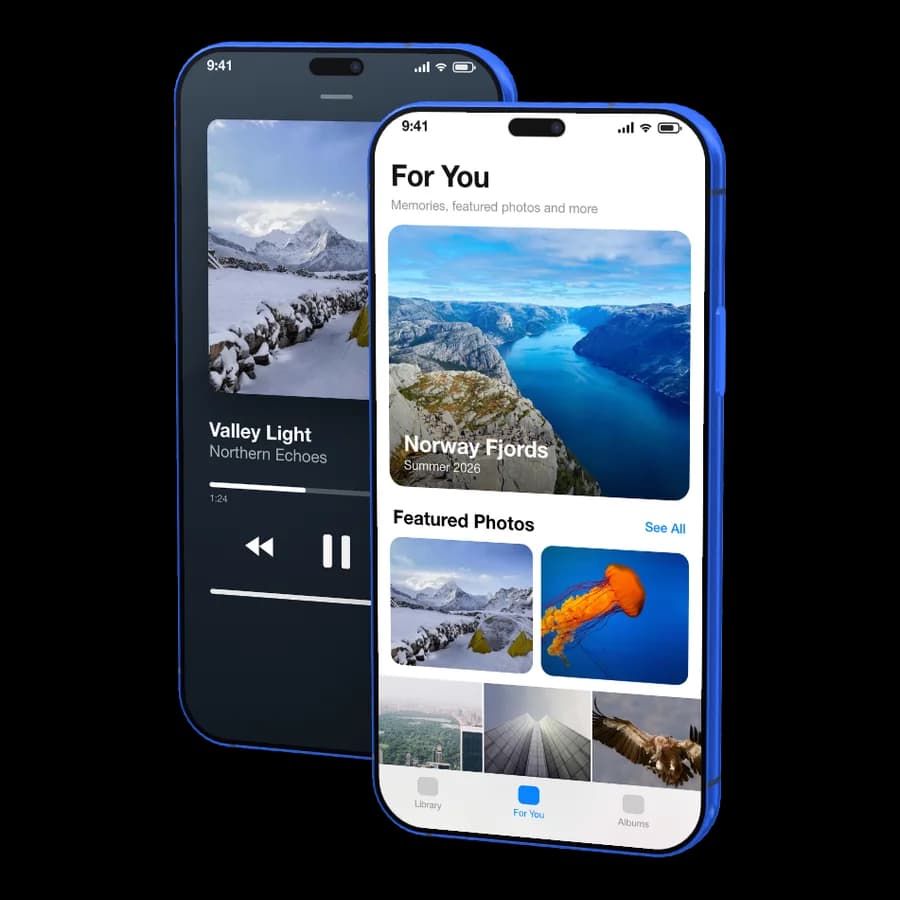
Two screens in one screenshot, each with its own image.
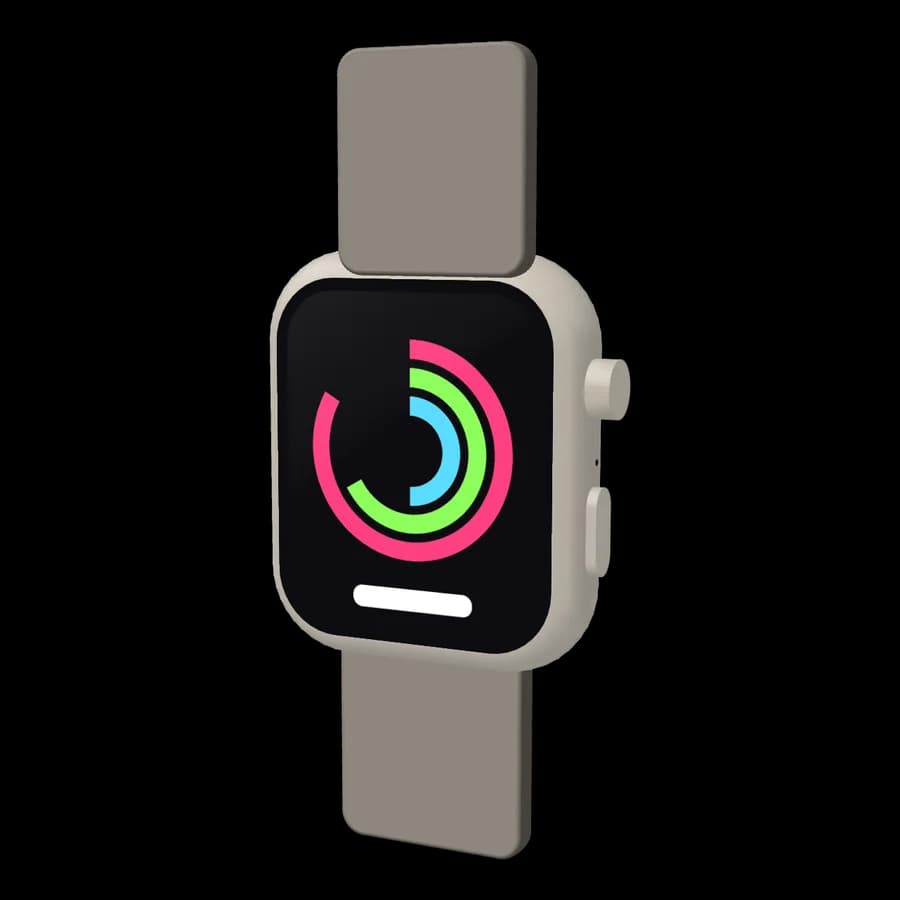
Digital Crown, straps and sensor — round Wear OS too.
iPhone, iPad, Watch, Mac, Apple TV, Vision Pro, Android phones, tablets, Wear OS, Android TV, Windows laptops and 2-in-1s.
Metal, clay, gloss.
Lit like a studio.
- Drag to rotate in full 3D — show the back, the side, any angle
- Any frame colour: orange, blue, gold, midnight, or your own
- Studio, Soft, Sunset, City and Night environments
- Key, top, side, rim and dramatic lighting
- Reflection strength and bezel colour
- Every template pose renders in 3D
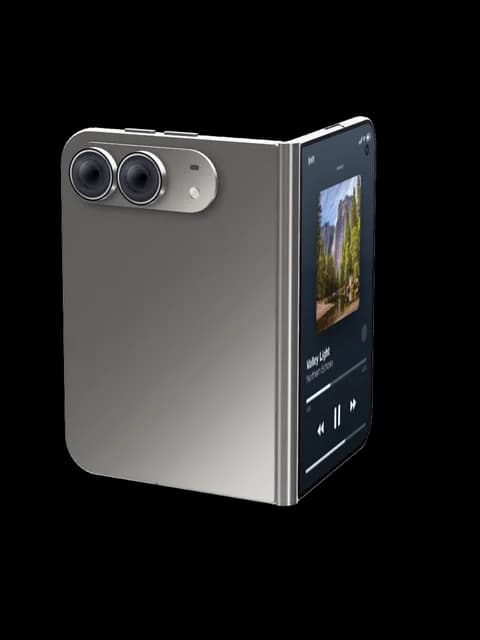
Brushed reflections that follow your light.
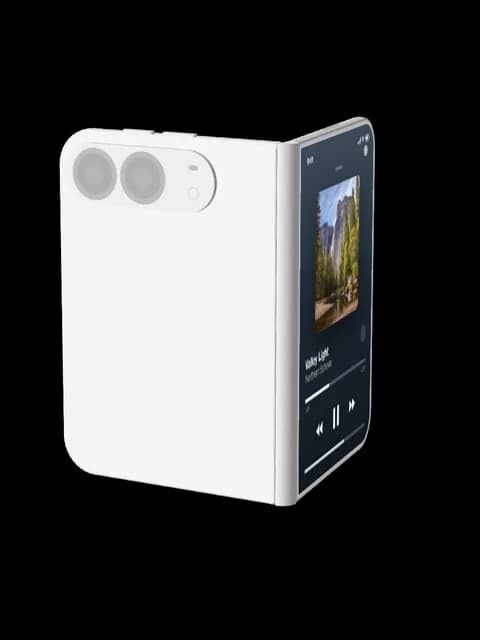
One matte colour for the whole device.
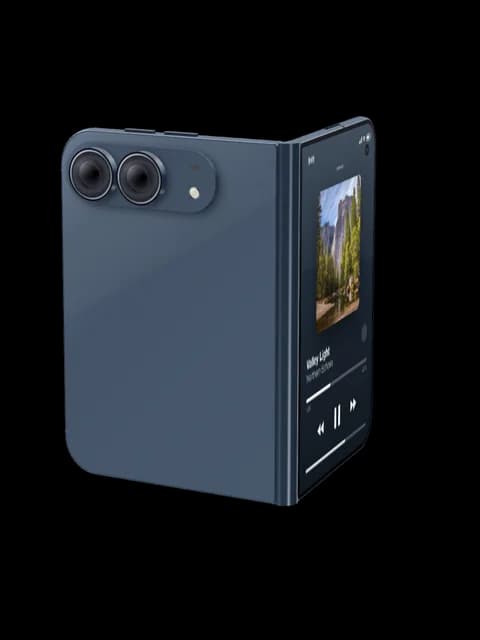
Sharp highlights, lacquered finish.
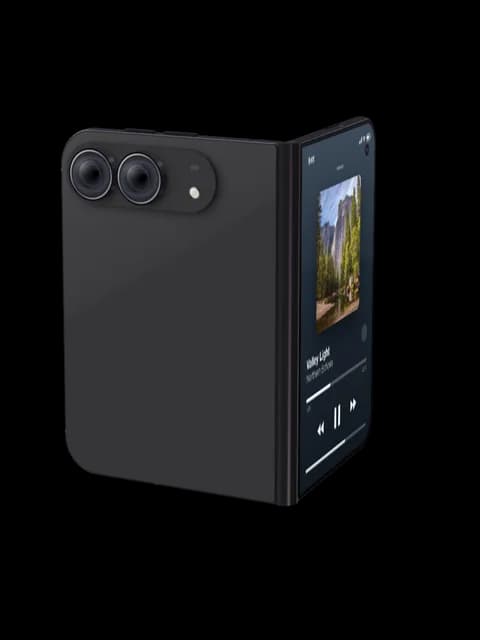
Soft and understated.
Connected to the App Store.
Built for conversion.
Start from what's live, let AI score what's holding it back, and fix the listing around it — without leaving ScreenCraft.
- Bold hook on the first shot
- Consistent colour and type across the set
- Shot 4: make the caption readable at thumbnail size
- Shot 6: one idea per screenshot
| Screenshot 1 | 5 of 5 | Strong hook — benefit is clear at a glance |
|---|---|---|
| Screenshot 2 | 4 of 5 | Good, caption could be shorter |
| Screenshot 3 | 4 of 5 | Clear single message |
| Screenshot 4 | 2 of 5 | Caption unreadable at thumbnail size |
| Screenshot 5 | 4 of 5 | Consistent with the set |
| Screenshot 6 | 3 of 5 | Two ideas in one shot — split it |
| Name | 4 of 5 | Brand + one keyword |
|---|---|---|
| Subtitle | 2 of 5 | No searchable keywords |
| Description | 3 of 5 | Lead with the benefit |
| What's New | 2 of 5 | Generic release notes |
| Screenshots | 5 of 5 | Full set for iPhone |
- Search by name, or paste a link
- iPhone, iPad, Mac and Apple TV sets
- Listing, rating and version come along
- Drop shots full-bleed or into 3D devices
Impressions, conversion and downloads after launch — next to the screenshots that earned them.
Launching an app shouldn't require a designer.
Designing, resizing, and exporting for every device eats an entire afternoon you should be spending on your app.
Figma and Photoshop weren't built for App Store assets. You spend more time wrestling layers than picking a layout.
Captions, layouts, gradients, locales — all manual, every launch, every update. Indie launches deserve better.
From raw screenshots to store-ready in three steps.
Drop in your raw iOS, Android, Mac or Windows captures — or import your live set straight from the App Store. Every aspect ratio is handled automatically.
Pick a template, turn real 3D devices into the perfect pose, and let AI write captions and backgrounds in your brand colours — then score the set before you ship.
Export every required App Store, Google Play and Microsoft Store size in a single click — no resizing, no math.
Simple pricing. No surprises.
Start free. Upgrade when you're ready to ship.
Purchases happen inside ScreenCraft: download the app, sign in, and choose a plan from Settings or any Pro feature. Checkout opens in your browser for that account. Prices in USD; buyers in India pay in INR at checkout.
Try ScreenCraft and export a limited number of screenshots.
- 3 exports per month
- Basic templates
- Watermark on exports
- Community support
Unlimited exports, AI features, and every template.
- Unlimited exports
- 1,200 AI credits for the year
- AI captions & gradient generation
- All templates · no watermark
- Every update released during your year
- Video export — coming soon
- Buy again anytime to add another year
Everything in Pro, paid once and yours to keep.
- Unlimited exports
- 500 AI credits (one-time)
- AI captions & gradient generation
- All templates · never a watermark
- Every update for 5 years
- Video export — coming soon
- Priority support
Need more AI credits?
One-time packs that stack on top of any plan.
Or skip credits entirely: add your own OpenAI / Anthropic key in the macOS app's Settings → AI. Your key stays in macOS Keychain — it never touches our servers.
Ship screenshots
your users actually tap.
Download ScreenCraft for macOS and export your first set in under a minute.